Your Telegram Account Works on the Web App Too
The Everything web app is live at app.everything.co — and if you've already been trading on our Telegram bot, you don't need to create a new account. Your existing account, balance, and trade history carry over.
All you need to do is link an email address to your Telegram account, set a password, and you're in. Here's how to do it in 5 steps.
Step 1: Open the Everything Telegram Bot
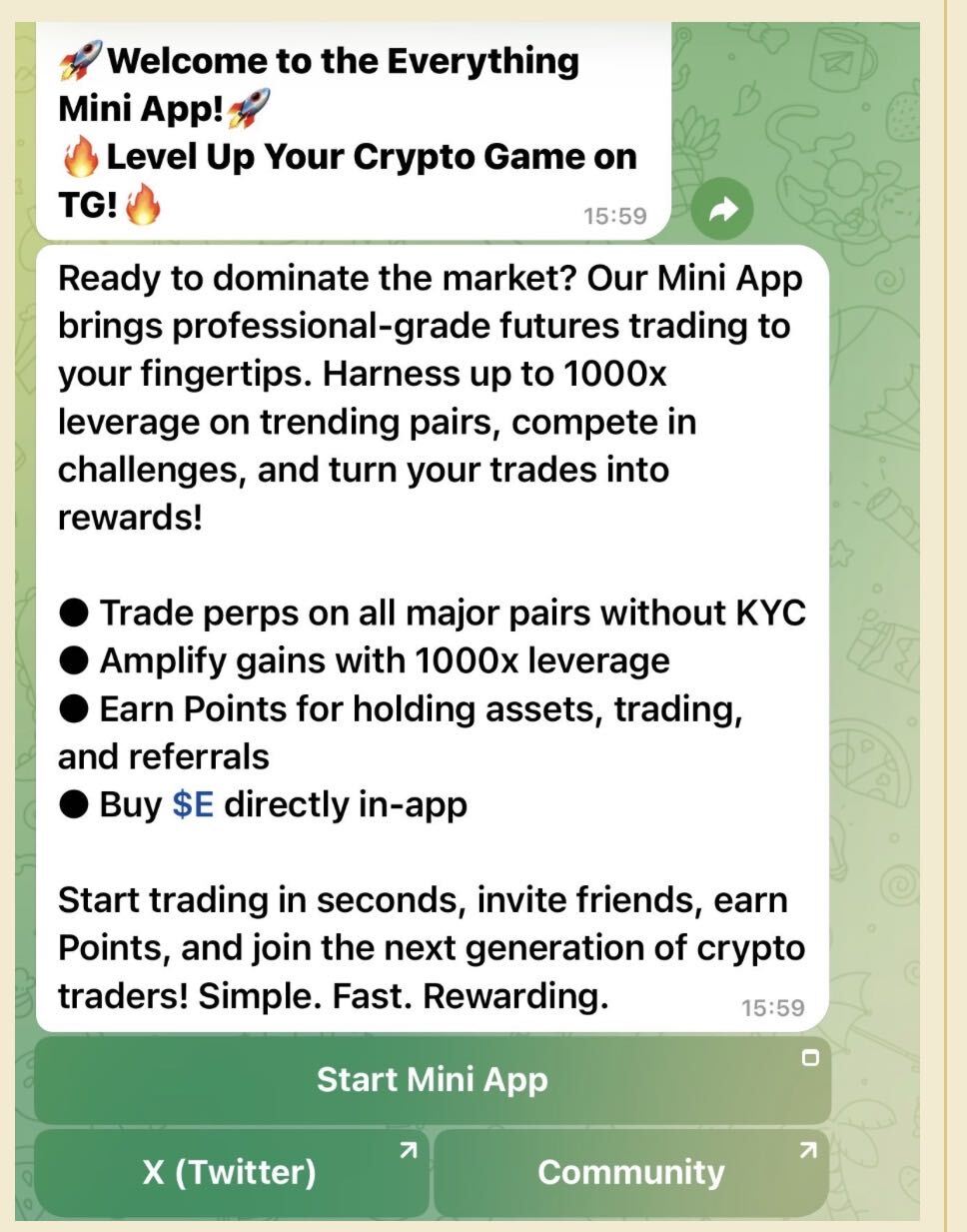
Head to the official Everything Telegram bot:
👉 t.me/EverythingTradeOfficial_bot
Tap Start, then tap Start Mini App to open the trading interface. If you've traded on Everything before, your account is already there — no need to sign up again.
Step 2: Go to Security Settings

Inside the mini app, navigate to your account settings and tap Security.
You'll see two options for 2FA (two-factor authentication):
Tap Email to continue. We recommend enabling at least one form of 2FA to protect your account.
Step 3: Bind Your Email Address
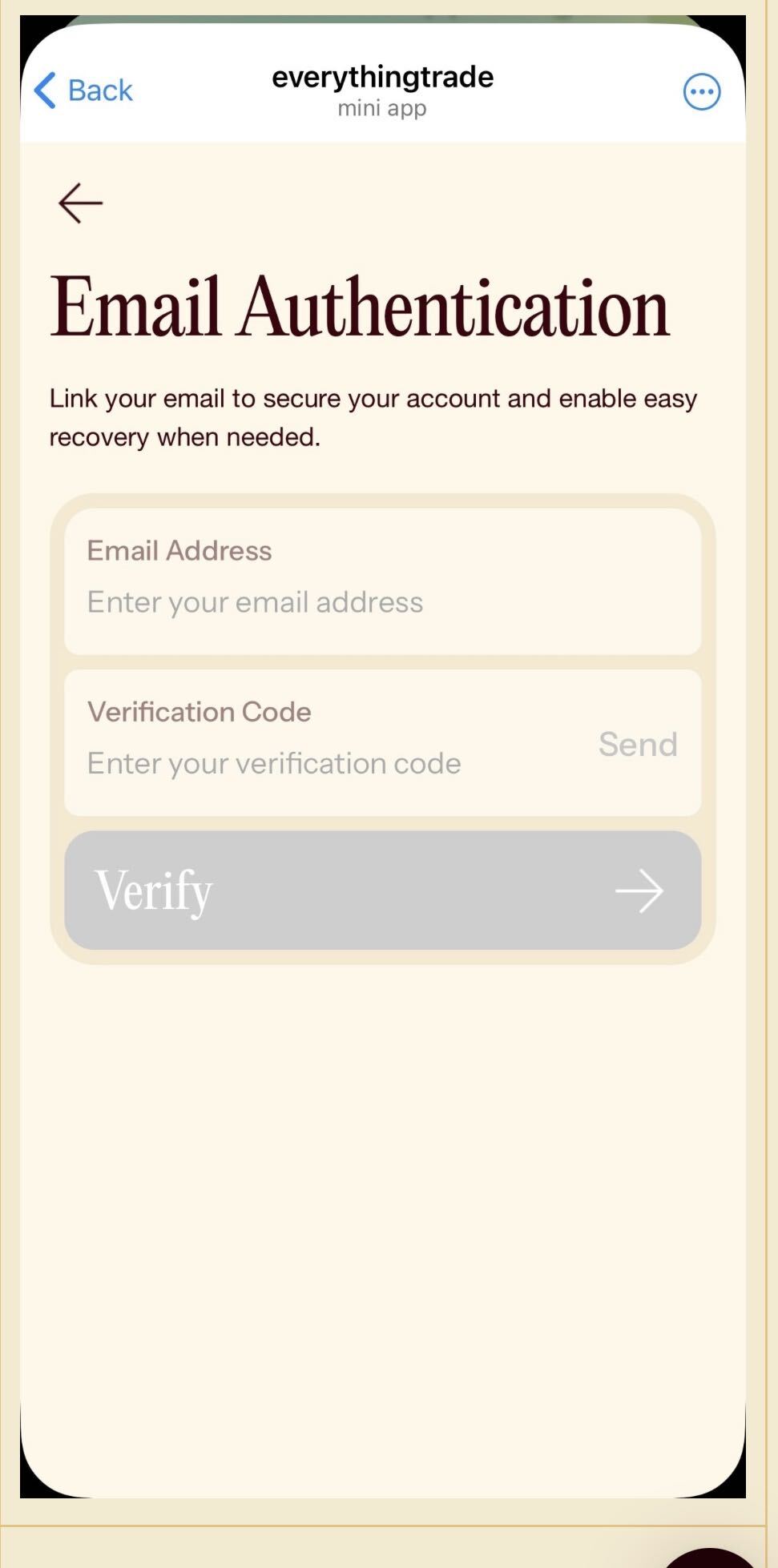
On the Email Authentication screen, do the following:
Enter your email address in the field provided
Tap Send to receive a verification code in your inbox
Enter the verification code
Tap Verify to confirm
Your email is now linked to your Everything account. This is the key step— it lets you log into the web app with a password instead of Telegram.
Step 4: Visit the Web App and Create a Password
Open your browser and go to app.everything.co.
Since this is your first time logging into the web app, you won't have a password set yet. Tap Forgot Password on the login page, enter the email address you just linked, and follow the prompts to create your password.
Check your inbox for the reset link, set a strong password, and you're almost there.
Step 5: Log In — You're All Set
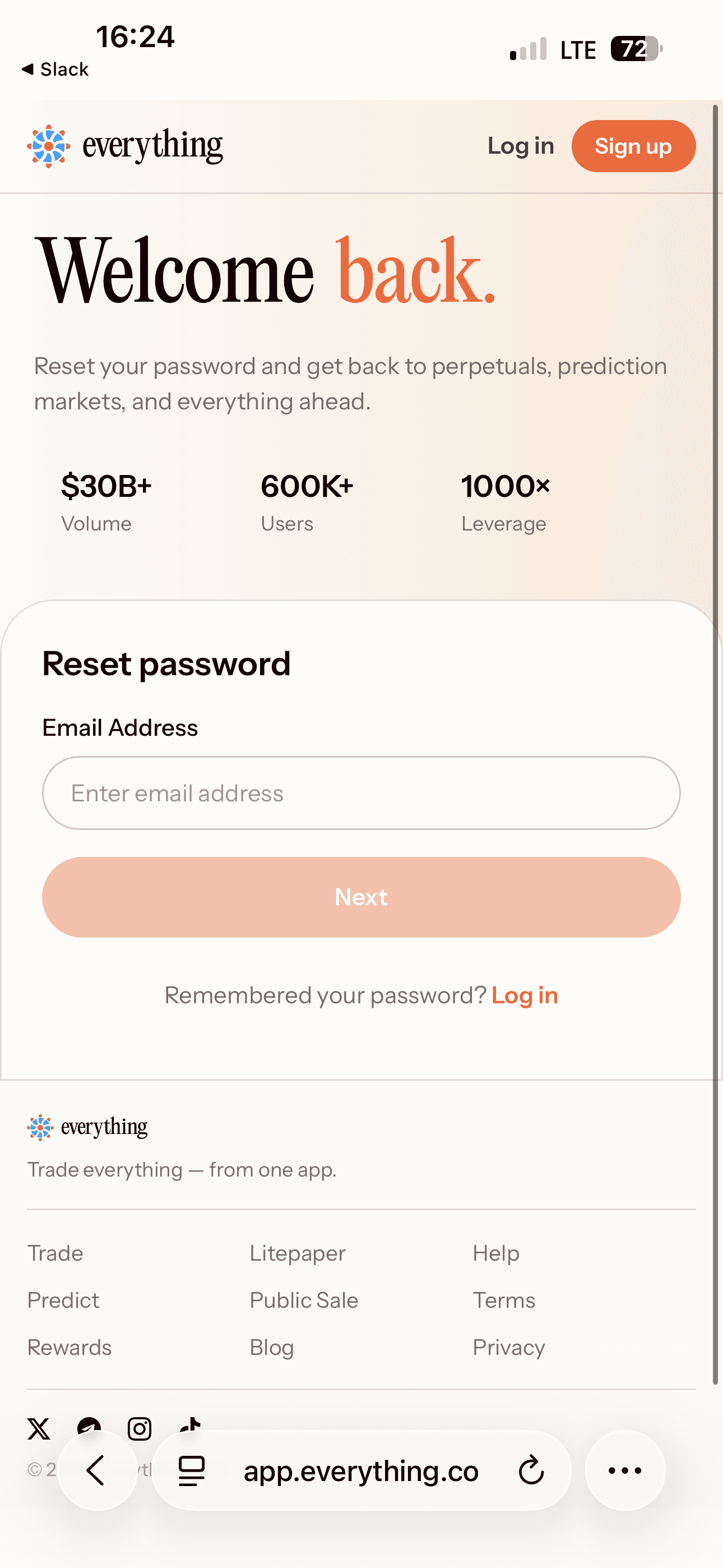
Return to app.everything.co, enter your email and the new password you just created, and log in.
That's it. Your Telegram bot account is now fully connected to the Everything web app. Same account. Same balance. Same trading history. Now accessible from any browser.
Why Use the Web App?
The Everything web app gives you a full desktop-sized trading experience — same powerful platform you know from Telegram, now on a bigger screen. Whether you're at your desk or on the go, your Everything account works everywhere.
Trade perps with up to 1000x leverage — BTC, ETH, SOL, and more
Predict markets — bet on real-world outcomes, earn if you're right
One account, every platform — Telegram bot and web app stay in sync
Start Trading on Everything Now
Don't have an Everything account yet? Get started on Telegram — it only takes a few seconds.
👉 Open Everything on Telegram
Frequently Asked Questions
Q: Do I need to create a new account for the web app?
No. If you already have an Everything account on Telegram, you use the same account on the web app. Just link your email through the Security settings in the Telegram mini app, then reset your password on the web app to set your login credentials.
Q: What if I don't receive the verification code?
Check your spam or junk folder first. If it still doesn't arrive, wait a minute and tap Send again. Make sure the email address you entered is correct.
Q: Will my balance and trade history carry over?
Yes. Your account is the same whether you access it via Telegram or the web app. Your balance, positions, and history are all synced.
Q: Can I still use the Telegram bot after connecting to the web app?
Absolutely. Connecting to the web app doesn't change anything about your Telegram experience. You can use both interchangeably — they share the same account.
Q: Is the web app available on mobile browsers?
Yes. app.everything.co works on mobile browsers as well. You can log in from your phone's browser or from a desktop — whichever you prefer.